Presenter UI Languages
By default, Presenter's UI language is set to English upon installation. However, several additional language options are available for selection. Here is a list of all the available languages for Presenter:
- English
- Deutsch (German)
- Español (Spanish)
- Ukrainian
- Italiano (Italian)
- 한국어 (Korean)
- Português (Portuguese)
- Français (French)
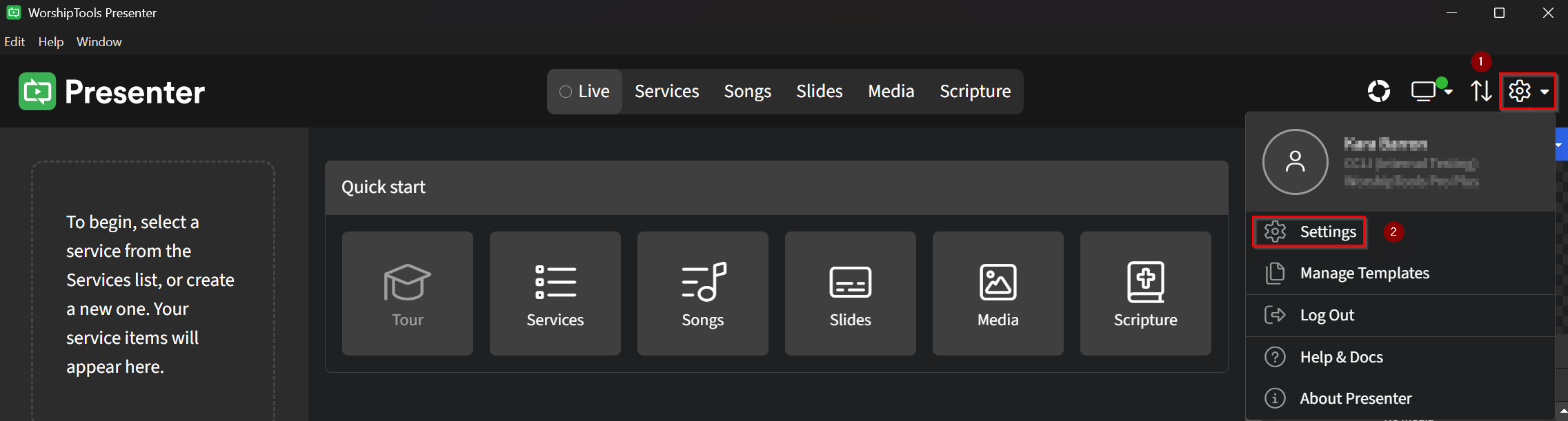
To change the language for your Presenter app, in the upper right-hand corner, locate and click on the ⚙ gear icon, then click on Settings.
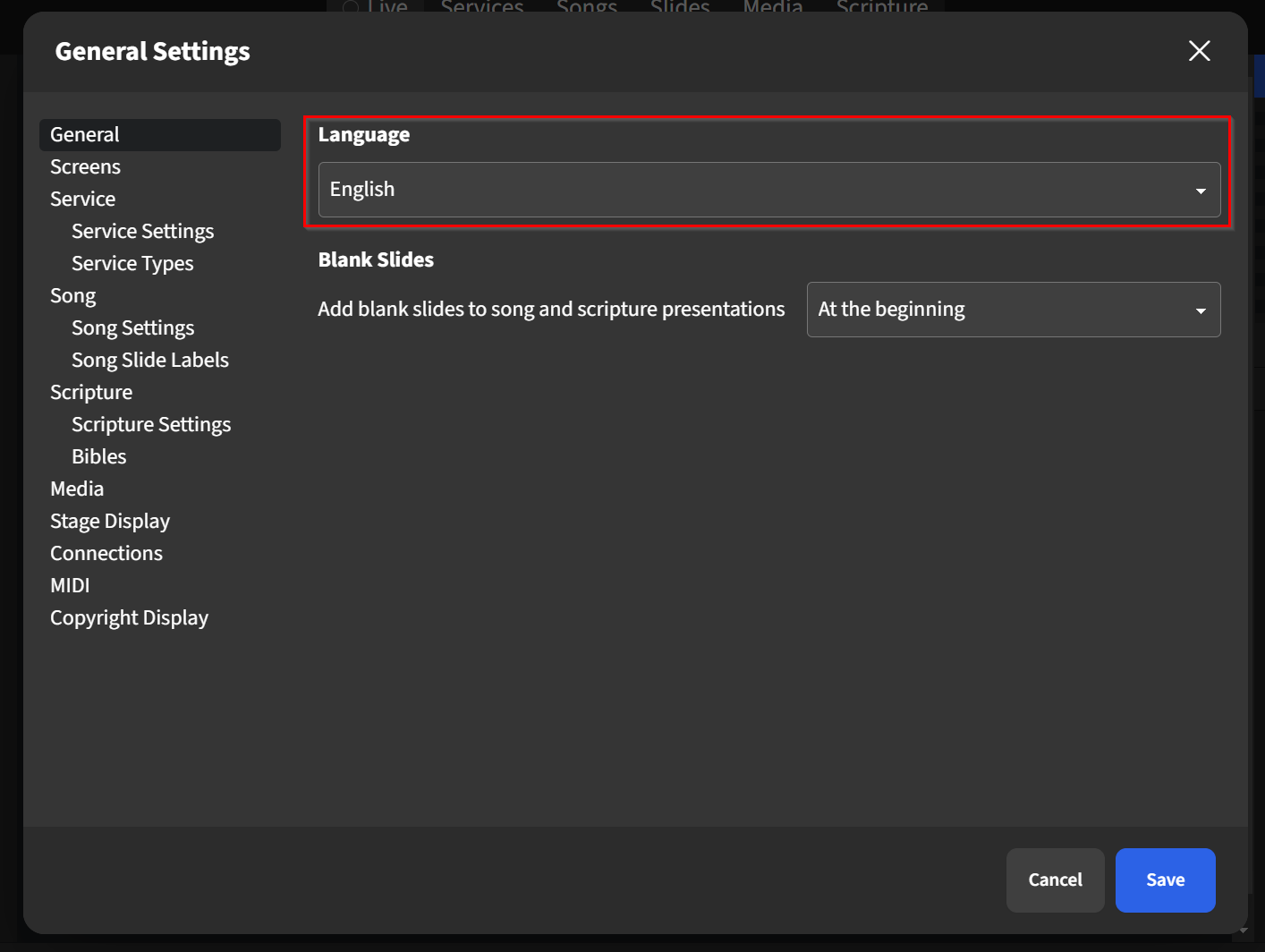
A General Settings pop-up is displayed with the General setting already selected. From here, choose your preferred language from the Language dropdown, then click Save. Log out of Presenter and restart the program to ensure changes are applied.
Please note that if you run Presenter on multiple computers, you will need to follow the above steps to change Presenter's language on each computer.