 Presenter
 Presenter (legacy)
 Planning
 Charts
 Community
In Presenter, the Quick Scripture feature allows you to display Bible verses on the audience screen instantly.
To use this feature, open the Scripture menu from the top toolbar and search for the desired passage. The Bible verse will then appear in the center of the Scripture page. You can choose a Template and Background media to enhance the display of the verse.
Simply click on any slide to project it to the audience screen immediately.
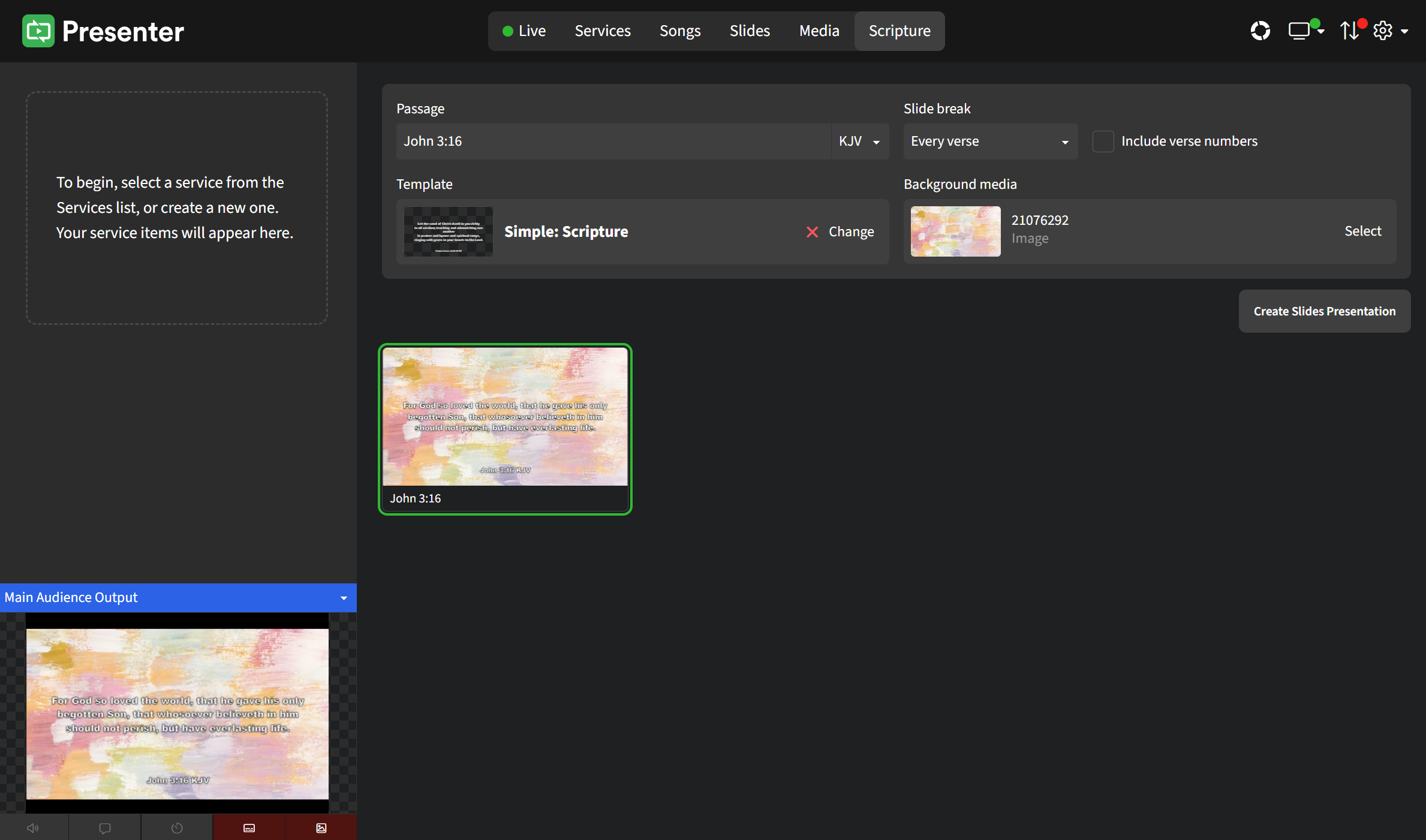
If your desired Bible passage includes several verses, try creating a customized slides presentation instead. Click on Create Slides Presentation button on the right and check out this article for a walk-through.