Using Window Screens
In the Screen Settings, you can assign different Presenter screens (also known as what the Presenter projects) to various physical displays, such as projectors, TVs, external monitors, etc.
To add a new screen, click + Add Screen. If you have a third display connected, you can designate the new screen to it. However, not all churches may have this option. This is where the Window option becomes useful, especially if you want to capture that window for your online service. Please note that you cannot set Main Audience Output or Stage Display screens to a Window, but any additional screens are eligible.
In the example below, a new screen labeled Livestream Window was added manually. Although it is not shown here, let's assume that the Main Audience Output is already projecting to Display 1 and the Stage Display is projecting to Display 2. Therefore, the Livestream screen must be set to Window.
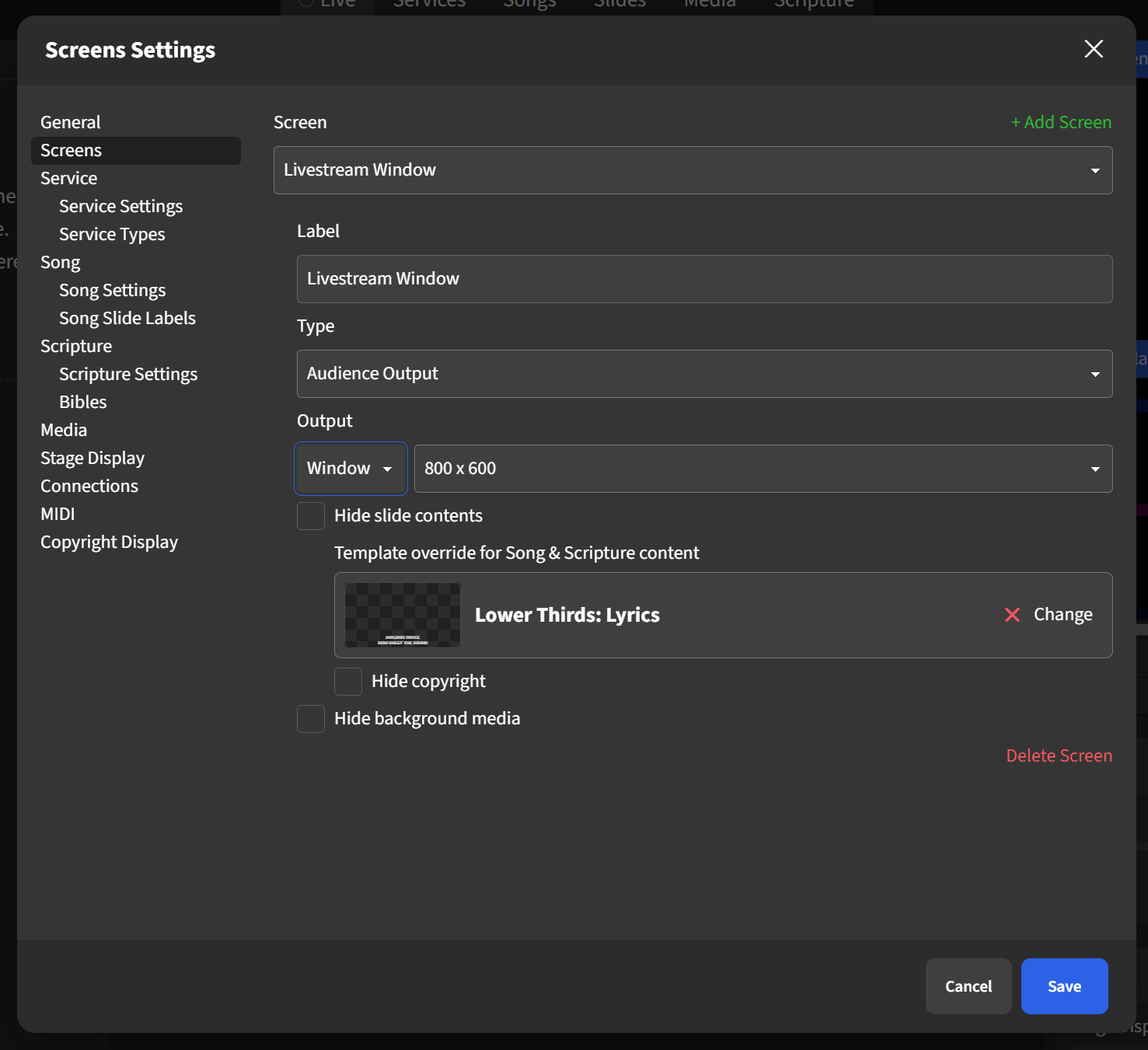
When the Windows screen is enabled, Presenter will open a third window on your computer, effectively mimicking a physical third display. You can then configure OBS (or your preferred video controller) to capture this specific window for your streaming service.
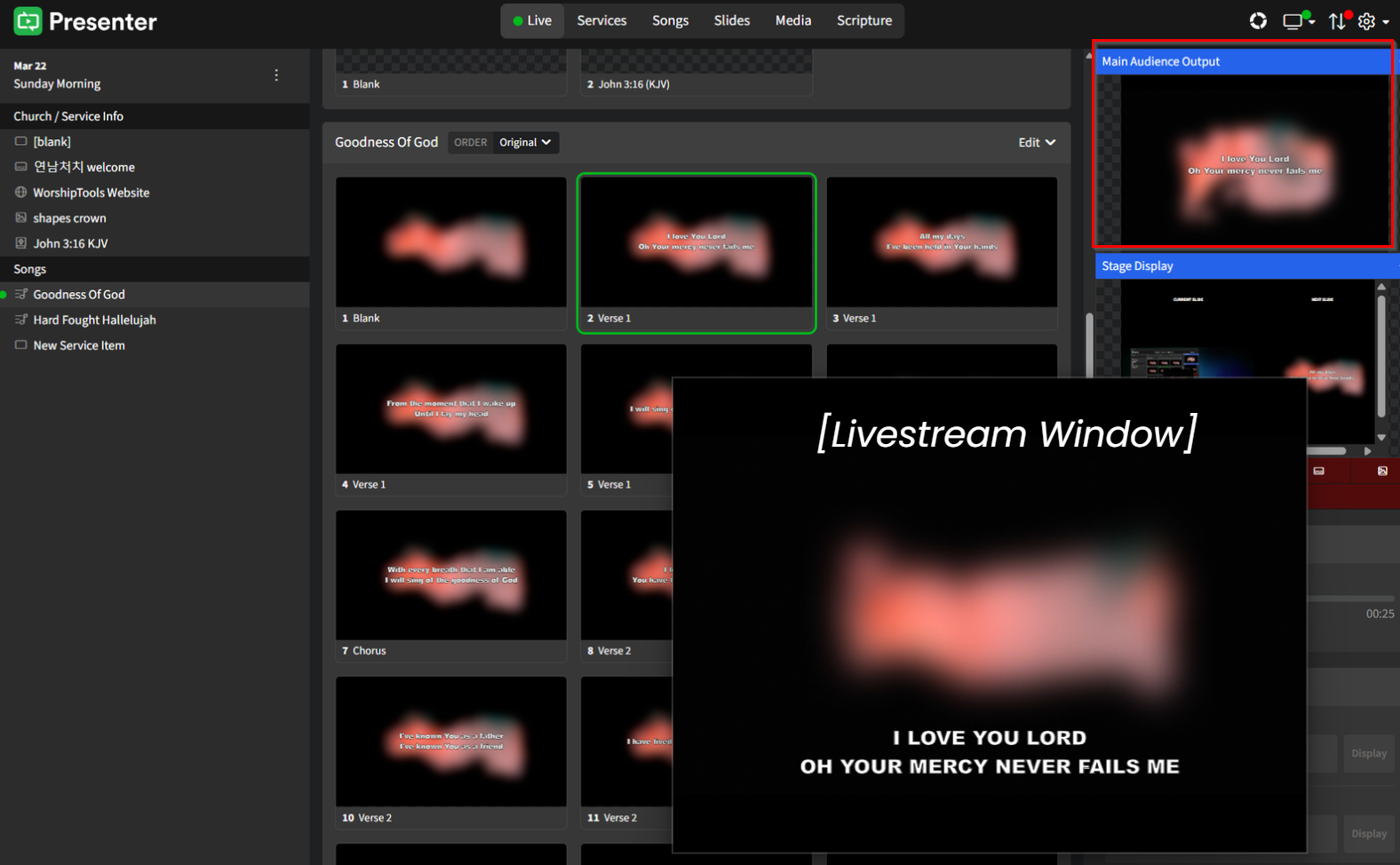
Additionally, you can customize the text displayed in this window by using the Template override for Song & Scripture content option found in the display settings for that screen. In the example shown above, Presenter is set to replace the default template with the Lower Thirds: Lyrics template on the Livestream screen. You can see how this works in the image below; the projections occur simultaneously. Notice that both Presenter and the Main Audience Output screen feature centered lyrics, while the Livestream window presents the lyrics in the lower third of the screen, similar to subtitles in a movie.
To learn how to effectively use this separate, lower-thirds template over a live recording, check out the article on livestreaming.